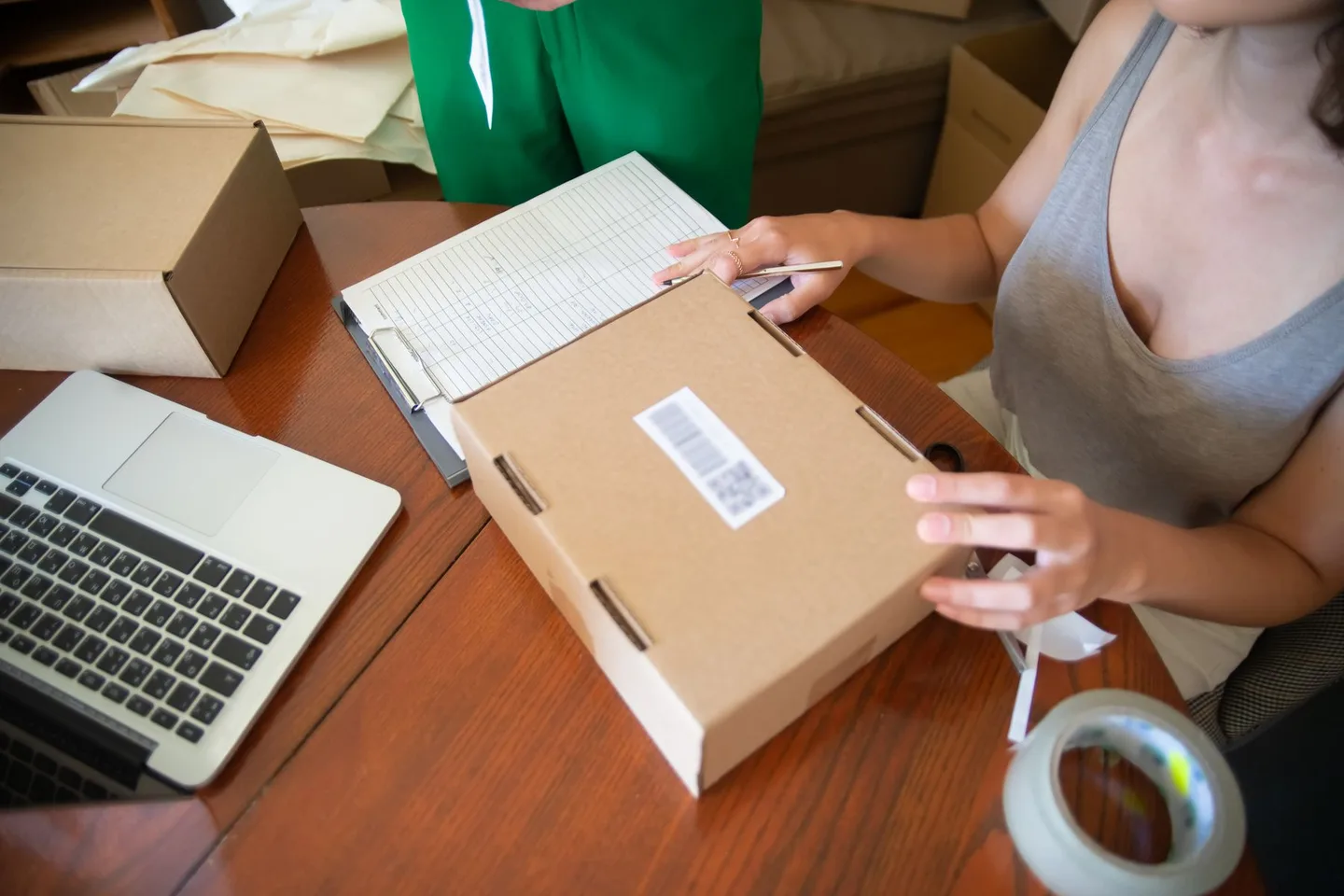
The best TikTok Shop launch plan for the first 30 days is simple: fix your listings and shipping in week one, seed products to creators and publish your own content in week two, add paid support once you have proof in week three, and use week four to review the data and decide what to scale. Approval only means the door is open. Nobody walks in until you give them a reason to.
This guide starts after your shop is approved. If you are still setting up your account, read how to start a TikTok Shop first. Everything below is a framework, not a promise of results. Policies, programs and thresholds differ by market and change often, so confirm specifics in your own Seller Center.
Before Day 1: The Launch Readiness Checklist
Most failed launches fail before the first video is posted. Run through this TikTok Shop launch checklist while your shop is still quiet.
- Stock you can actually ship. Count real units on hand. Overselling a product that starts to move is one of the fastest ways to damage a new shop.
- Margins that survive reality. Work out your cost per order including product, shipping, platform fees, affiliate commission, returns and ad spend. Use the break-even ROAS calculator before you spend anything.
- Two or three hero products. Do not launch with fifty. Pick products that demonstrate well on camera, solve an obvious problem, and have healthy margin.
- Listings built for search and for scrolling. Clear titles, accurate attributes, honest images and a short video on each product page. Our TikTok Shop SEO and listing guide covers this in detail.
- A shipping process you have tested. Place a test order, pack it, print the label, and confirm tracking uploads correctly.
- Customer service ready. Decide who answers buyer messages, how fast, and what your return process is.
- Samples set aside. Reserve units for creators now, so you do not scramble in week two.
- A simple tracking sheet. One row per day: orders, GMV, video views, ad spend, samples sent, samples posted.
Week 1 (Days 1 to 7): Make the Shop Ready to Convert
Week one is about removing friction. You are not trying to go viral yet. You are making sure that any traffic you do get can buy, and that you can deliver.
Polish every hero listing
Read each listing as a stranger would. Does the first image show the product clearly? Do the title and description say what it is and who it is for? Are variants, sizes and prices correct? Add a product video, because on this platform shoppers expect to see the item in use. Keep claims accurate and compliant with TikTok Shop's product rules for your category; restricted claims on supplements, beauty and similar categories are a common cause of takedowns.
Lock in your pricing and offers
Decide your launch price with your margin math open. A small introductory discount can help conversion, but a deep one trains buyers to wait and can leave you unprofitable once affiliate commission is added. Whatever you set, make sure it still works after commission and fees.
Set up fulfillment properly
Shipping speed is a performance metric, not a courtesy. At the time of writing, the US Seller Center help pages state that regular orders must be marked In Transit within 2 business days, effective January 26, 2026, and that enforcement can apply when the late dispatch rate climbs above 10 percent. Check the current rule for your own market, because the UK and other regions have their own requirements.
Warm up your account
Complete your shop profile, link your shop to your TikTok account, and post two or three native videos about the product category. A shop with a real profile and a few videos looks credible to buyers and to creators you are about to contact.
Week 2 (Days 8 to 14): Seed Creators and Publish Your First Content
Week two is where a launch usually becomes a launch. Content is the engine of TikTok Shop, and the fastest way to get content is a mix of your own videos and creator videos.
Start creator seeding
Set up your affiliate program and send samples to a focused list of creators whose audience matches your product. Quality of fit beats follower count. A small creator whose viewers already buy this kind of item will usually do more for you than a large one who does not. Keep the offer simple: a free sample, a clear commission rate you have already tested in your margin math, and a short brief on what makes the product special.
There are two ways to work with creators, and they behave differently. Open collaboration lets any eligible creator promote your product, while targeted collaboration is an invitation to specific creators. Our guide to open vs targeted collaboration explains when to use each, and the affiliate program guide covers commission and outreach in depth.
Expect many creators not to reply, and some who accept not to post. Plan for that. Sending to a larger group than you think you need, within the budget you can afford to lose, is normal. Track every sample: who got it, when it shipped, whether they posted.
Publish your own videos
Do not wait for creators. Post two to four videos per week from your shop account. Focus on formats that show the product working: a demonstration, a before and after, a common problem and its fix, a short unboxing, a customer question answered on camera. Open each video with the hook in the first second or two, show the product quickly, and make the call to action obvious. For a full breakdown, see TikTok Shop videos that convert.
Attach products to videos correctly
Every video that could sell should have the product link attached. A great video with no product link is just a video. Check that the right product and variant are tagged before you post.
Week 3 (Days 15 to 21): Add Paid Support With GMV Max
By week three you should have a few videos live, some creator content arriving, and early signals about which product and which angle get attention. This is the point to add paid support, not before.
Why wait until now
Ads amplify what already works. If your listing converts poorly or your content does not hold attention, paying to send more traffic only wastes money faster. Look at your early data first: which videos got views, which got clicks to the product page, which led to orders.
Start small and structured
GMV Max is TikTok's automated campaign type for Shop sellers, and it uses your product and creative to optimize toward sales. The platform's controls, requirements and available options change, so check what is available to your shop in Seller Center and Ads Manager. Our GMV Max guide walks through setup, budgets and ROI targets.
A sensible approach for a new shop:
- Set your ROI target from your break-even number, not from a guess. If you do not know your break-even, calculate it first.
- Start with a modest daily budget on one hero product that already has content and some sales history.
- Feed the campaign with your best videos, including creator content you have permission to use.
- Give it time to learn before judging. Changing budget and targets every few hours resets momentum and muddies your data.
- Review results on a schedule, for example every few days, rather than constantly.
Consider a first LIVE
If you have the energy and a product that benefits from demonstration, a short LIVE session can help you answer questions in real time and convert hesitant buyers. Keep it short and prepared.
Week 4 (Days 22 to 30): Protect Performance, Collect Reviews, Review the Data
The final week is about consolidation. You have orders in motion, which means your shipping, service and reviews now matter more than new traffic.
Hit your shipping targets
Check your fulfillment and performance pages daily. Look at late dispatch, tracking validity, cancellations and delivery timing. Fix problems the day they appear. A handful of late orders on a small base can swing a percentage a long way, so a new shop with few orders needs to be extra careful.
Earn reviews the right way
Reviews build trust and conversion, but they must be genuine. Do not offer payment or gifts in exchange for positive reviews, and do not fake them, which violates platform rules and can get your shop penalized. Instead, ship fast, pack well, include a clear care or usage insert, and answer messages promptly. Happy buyers leave reviews naturally. Respond to negative reviews politely and fix the cause.
Review your first 30 days of data
Sit down with your tracking sheet. Which product sold? Which video or creator drove it? What did each order really cost after ads, commission and shipping? Decide what to double down on, what to pause, and what to test next. The goal of day 30 is not a big number. It is clarity about what works.
The 30-Day Launch Plan at a Glance
| Week | Focus | Key actions | Metric to watch |
|---|---|---|---|
| Week 1 | Shop readiness | Polish hero listings, confirm margins, test fulfillment, warm up profile | Listing approval status, test order shipped on time |
| Week 2 | Seeding and content | Send samples, set affiliate offer, post 2 to 4 videos, tag products | Samples sent vs posted, video views, product clicks |
| Week 3 | Paid support | Launch GMV Max on one hero product, feed best creative, review on a schedule | ROI vs break-even, conversion rate, cost per order |
| Week 4 | Performance and review | Monitor shipping, handle service, earn genuine reviews, analyze the month | Late dispatch, cancellations, review rating, profit per order |
What to Measure in the First 30 Days
New sellers often watch only revenue. Revenue is the last number to move. Watch the leading indicators:
- Content reach: views per video and how many viewers tap through to the product.
- Product page conversion: of the people who land on the listing, how many buy. Low conversion points to price, images, reviews or trust, not traffic.
- Sample-to-post rate: how many creators you seeded actually posted. If it is low, your offer or targeting needs work.
- Profit per order: after product cost, shipping, fees, commission, returns and ad spend.
- Fulfillment health: dispatch timing, valid tracking, cancellations, and delivery timing, as shown in Seller Center.
- Review count and rating: social proof compounds over time.
Why a New TikTok Shop Gets No Sales (and What to Fix)
If your new TikTok Shop has no sales after a couple of weeks, the cause is almost always one of the following. Work through them in order.
1. No traffic
A shop with no videos, no creators and no live sessions has no way to be found. Search alone rarely carries a brand-new shop. Fix: publish videos weekly, seed more creators, and make sure products are attached to every video.
2. Traffic that does not convert
If views and clicks exist but orders do not, look at the listing. Weak images, vague titles, a price out of line with alternatives, no reviews, or a missing product video all hurt. Compare your listing with the best sellers in your category and close the gaps.
3. The wrong product
Some products simply do not suit short video or impulse buying. If the item needs long explanation, is very expensive, or is nearly identical to a cheaper alternative, test a different hero product before spending more.
4. Creators who do not post
Seeding is a numbers game, but it also depends on your offer. Weak commission, slow sample shipping, or poor creator fit all reduce posting. Revisit your outreach and commission approach.
5. Content that does not hold attention
Videos that open slowly, hide the product, or sound like an ad get skipped. Rework the first two seconds and show the product earlier. Test several angles, not one.
6. Compliance or listing issues
Products that were rejected, restricted, or limited in visibility cannot sell. Check your product status and any notices in Seller Center, and correct claims, images or category issues.
7. Stopping too early
Some sellers quit after ten days. Some products take several rounds of creative testing before one video lands. Judge the plan on leading indicators, not only on orders in the first fortnight.
Need Help Running Your Launch?
You can run this plan yourself with a spreadsheet and discipline. If you would rather hand part of it to specialists, TikTok Shop Hub is an independent agency that helps sellers with shop setup, listings, creator outreach and ad management. We are not an official TikTok partner, and we will not promise specific sales numbers, but we can help you build and run a launch plan that fits your product and margins. Learn about our TikTok Shop setup service or contact us to talk through your first 30 days.
Using this guide
Fees, eligibility and policy requirements can differ by market and account. Check the current information in your Seller Center before acting. Examples and calculator results are estimates, not a promise of earnings.
Official reference: TikTok Shop Academy — United States. For another market, use its local Seller Center.
Frequently asked questions
What should I do first after my TikTok Shop is approved?
Start with readiness, not promotion. Confirm stock, finalize margins, polish two or three hero listings, and test your fulfillment process with a sample order. Then begin posting videos and contacting creators.
How long does it take to get the first sale on a new TikTok Shop?
It varies widely by product, price, content quality and how many creators you work with. Some shops see early orders in the first weeks, others take longer. Judge progress on leading indicators like views, product clicks and samples posted, not only on orders.
Should I run GMV Max ads in my first week?
Usually it is better to wait until you have a few videos, some listing polish and early signals about which product works. Ads amplify what already converts. Check Seller Center and Ads Manager for the options and requirements available to your shop.
Why does my new TikTok Shop have no sales?
The most common causes are little or no traffic, listings that do not convert, a product that does not suit short video, creators who never post, or compliance issues limiting visibility. Work through traffic first, then conversion, then product fit.
How many creators should I send samples to in the first month?
There is no fixed number, because response and posting rates vary. Send to a focused group whose audience matches your product, within a sample budget you can afford, and track how many actually post. Use that sample-to-post rate to decide whether to widen or tighten your outreach.